![]() |
||
| "Cabifying" your 360 dashboard |
||
| What's that you say? I noticed that you could browse pictures in the dashboard of the XBox 360 and decided to see if this could be utilized to create a "theme" of sorts. I then made an EGRET II theme that worked really well in my cabinet. As I shared this on some arcade forums I frequent, the ball got rolling and now I've made a few more of these. Some have multiple versions with colour variations. |
||
| How do I install them then? | ||
| You download these images to a USB device that's compatible with your XBox 360, or if you have a Home network, you put them in a folder that you can browse to from your 360's Picture Library. When you have the image selected, press the Y button to use it as a background. Once you've done this once, a new theme will be created that you can select from your User account. | ||
| Sammy Atomiswave Sitdown | Click image below to download theme image | ||
![]() |
||
| SEGA Astro City | Click image below to download theme image | ||
![]() |
||
| SEGA Blast City | Click image below to download theme image | ||
![]() |
||
| SEGA Naomi (Universal) | Click image below to download theme image | ||
![]() |
||
| SEGA New Astro City | Click image below to download theme image | ||
![]() I made two alternative colour versions of the above theme | Alt 1 | Alt 2 |
||
| Taito EGRET II | Click image below to download theme image | ||
![]() |
||
| Taito EGRET 3 | Click image below to download theme image | ||
| Bonus: Muchi Muchi Pork! | Click image below to download theme image | ||
![]() |
||
| Bonus: DDP-DFK BL Arrange | Click image below to download theme image | ||
![]() |
||
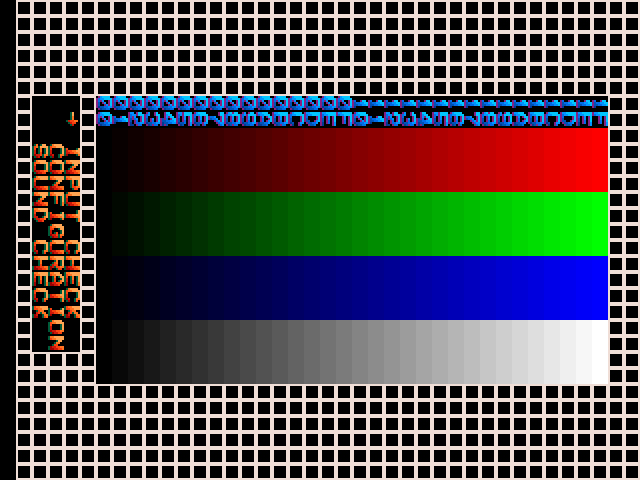
| Bonus: Test Screen | Click image below to download theme image | ||
![]() |
||